

The Deriver Application

4/9/2026

Deriver, when launched, will look similar to this.
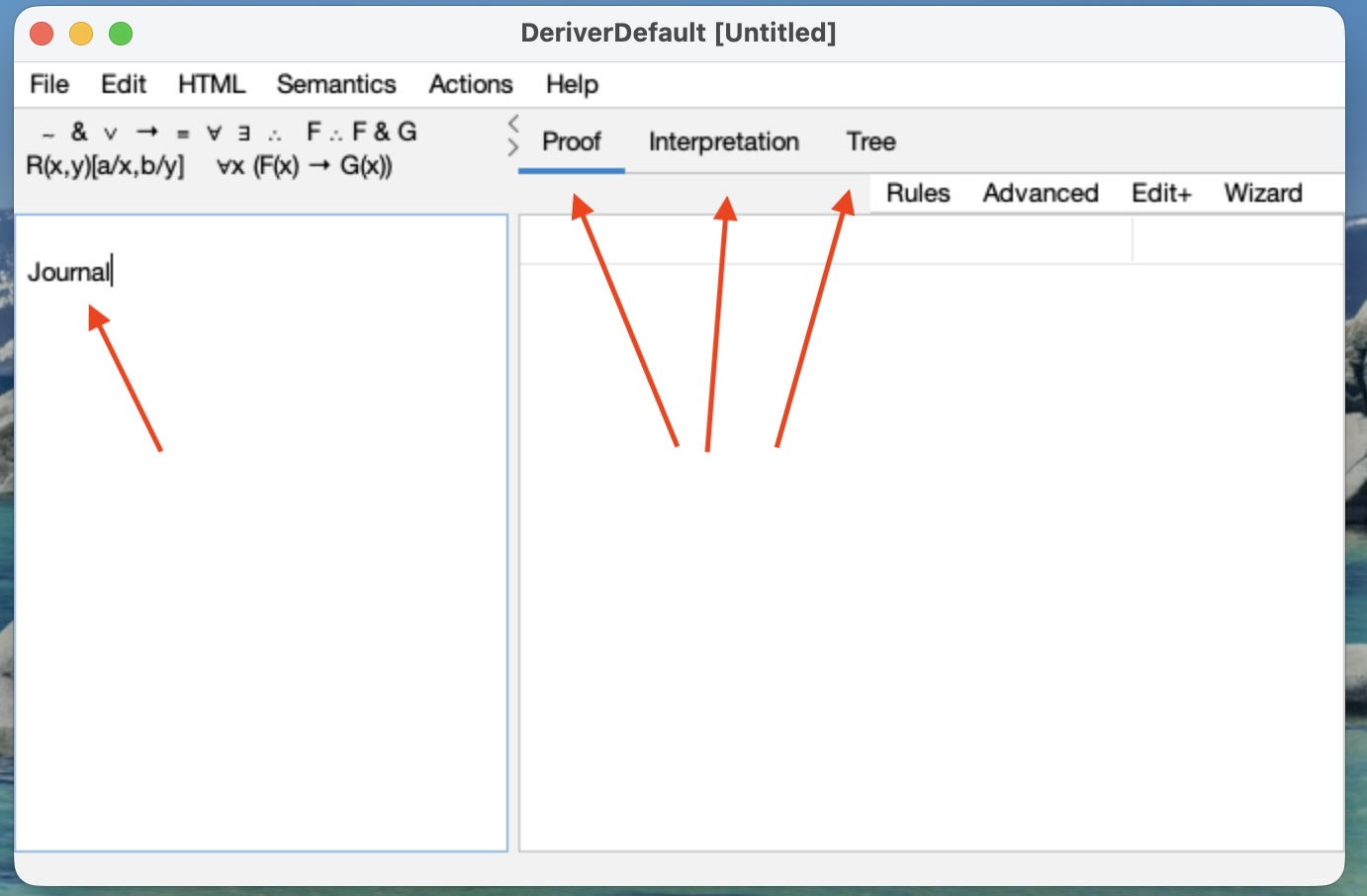
Conceptually, there are four panels: the Journal Panel, the Proof Panel, the Interpretation Panel, and the Tree Panel. Usually you will be seeing just two of these panels side by side. In the image you are seeing the Journal and the Proof.

What displays these panels and their menus is a 'browser'. The contents of the browser come from files, or links, or content created by the user.


Browser Menus

File menu

New Browser produces a new viewer with the four panes looking at the journal, the proof, the tree, and the interpretation.

New File produces a new journal, proof, tree and interpretation within the existing browser. If there is an old document there, which has not been Saved, the User is prompted to Save it.

Open Logic file opens an existing logic document, of four panels, within the present browser. If there is an old document already on display there, which has not been Saved, the User is prompted to Save it. 

Open Web Page can open many types of document into the Journal only. It can open from files or from urls. Typically the documents will be Web Pages. If there is existing content already on display there, which has not been Saved, the User is prompted to Save it.

Close Browser closes the foremost browser. If there is a document already on display there, which has not been Saved, the User is prompted to Save it. If the browser is the only or last browser on display, the application as a whole will exit.

Save, and Save As are standard. They save all three of the journal, proof, tree, and interpretation.

Save Journal As HTML does exactly that (but the proof and interpretation are not saved). Saving this way allows the Journal to be opened elsewhere either as a Web page or, for example, in WORD.

The Printing Commands print.

Quit quits the entire program. The User is prompted to Save any unsaved documents

CheerpJ Deriver Test